Here is a universal law in cross-platform development: Eventually, your pristine cross-platform world will collide with the native operating system.
When you start learning Flutter, it feels like pure sorcery. You write a single line of Dart code, and boom: a buttery-smooth 120fps UI renders identically on Android, iOS, macOS, Windows, Linux, and the Web. But sooner or later, your product manager walks in and says:
“We need to connect to a custom Bluetooth LE medical monitor, read secure cryptographic keys from the iOS Secure Enclave, and trigger a vendor-specific biometric sensor on Android.”
Suddenly, pure Dart isn't enough. You have to step across the boundary into native territory: Kotlin, Java, Swift, Objective-C, and C/C++.
This article is the written adaptation of the masterclass I had the pleasure of delivering for the amazing community at the FlutterFire Summer Camp. We will break down everything you need to know about Platform Channels, how to eliminate runtime crashes with Pigeon, how to integrate legacy native libraries, and when to bring out the heavy artillery: Dart FFI.
The Brutal Truth: Flutter Can't Do Everything!
Let's debunk a common myth right away: Flutter is not an emulator, and it is not a web view. Flutter is an engine that draws directly to a GPU surface using Skia or Impeller[1].
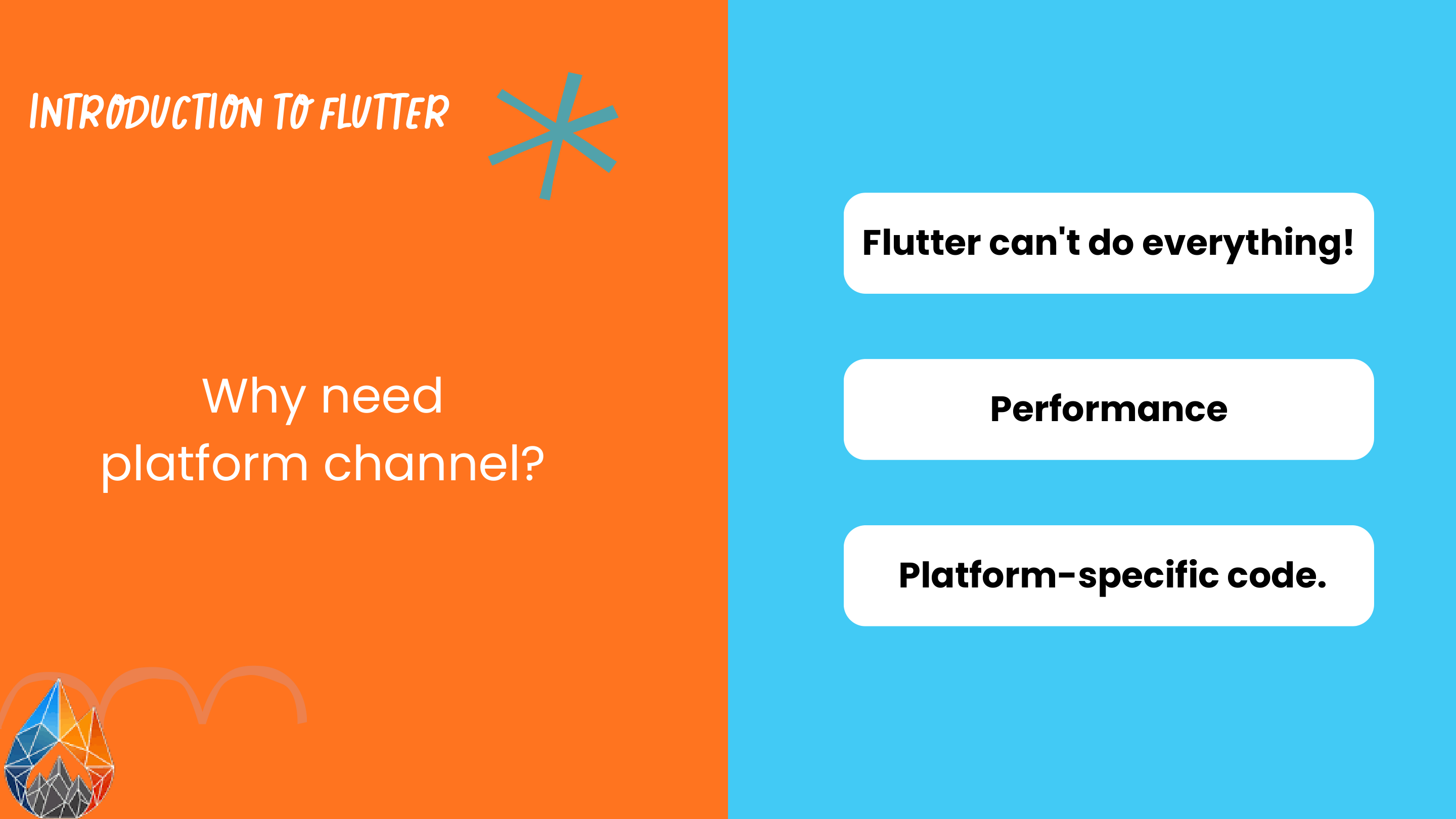
Because Flutter controls its own rendering canvas, it doesn't automatically inherit platform-specific capabilities. There are three unavoidable scenarios where native code is compulsory:
- Platform-Specific Hardware & APIs: CoreBluetooth, CoreMotion, Camera2 APIs, Android Foreground Services, Apple HealthKit, Android Health Connect, and biometrics.
- Extreme Performance Requirements: Heavy image transformations, audio DSP filters, real-time computer vision, or running on-device AI inference.
- Third-Party Vendor SDKs: Many enterprise platforms (specialized payment gateways, hardware dongles, ID scanners) only distribute closed-source
.aarfiles for Android or.xcframeworkbundles for iOS.
Under the Hood: The Platform Channel Architecture
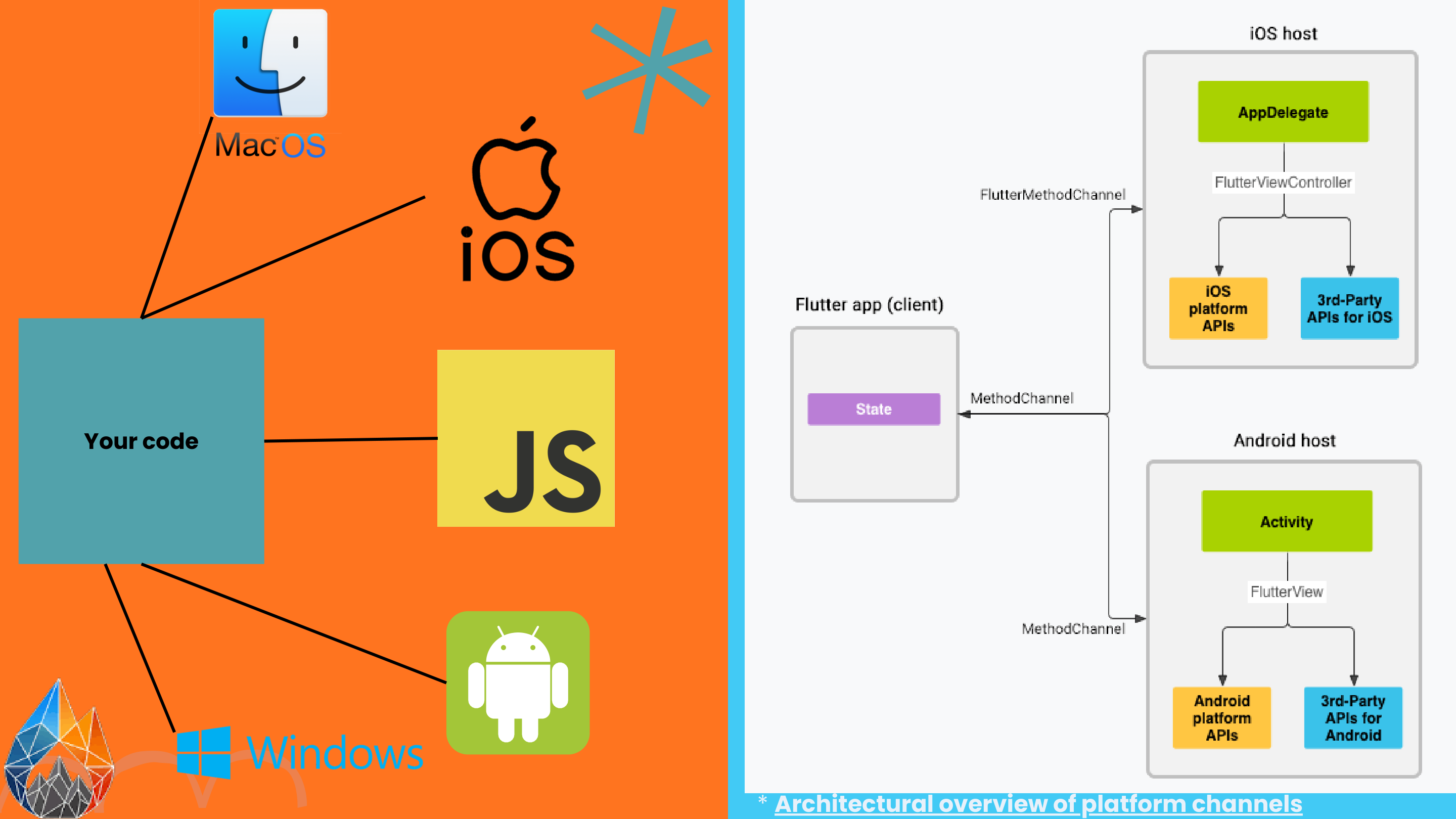
So how does a message travel from your Dart widget to an Android Activity or an iOS AppDelegate?
Flutter solves this through an asynchronous message-passing protocol called Platform Channels. As shown in the architectural diagram above:
- The Client (Flutter / Dart): Your Flutter code defines a channel by name (e.g.,
"com.nerala.app/battery"). - The Bridge: Messages are serialized into binary buffers using
StandardMessageCodecand handed over to theBinaryMessenger[2]. - The Host (Native OS):
- On iOS, the
FlutterViewControllerhosts the channel handler, delegating to platform APIs. - On Android, the
FlutterViewandFlutterActivitylisten to incoming method invocations.
- On iOS, the
Crucial Architectural Note: Platform Channels are strictly asynchronous. Even if the native method executes instantaneously, the response must cross thread boundaries and will always return as a
Futurein Dart.
MethodChannel vs. EventChannel: The Dynamic Duo
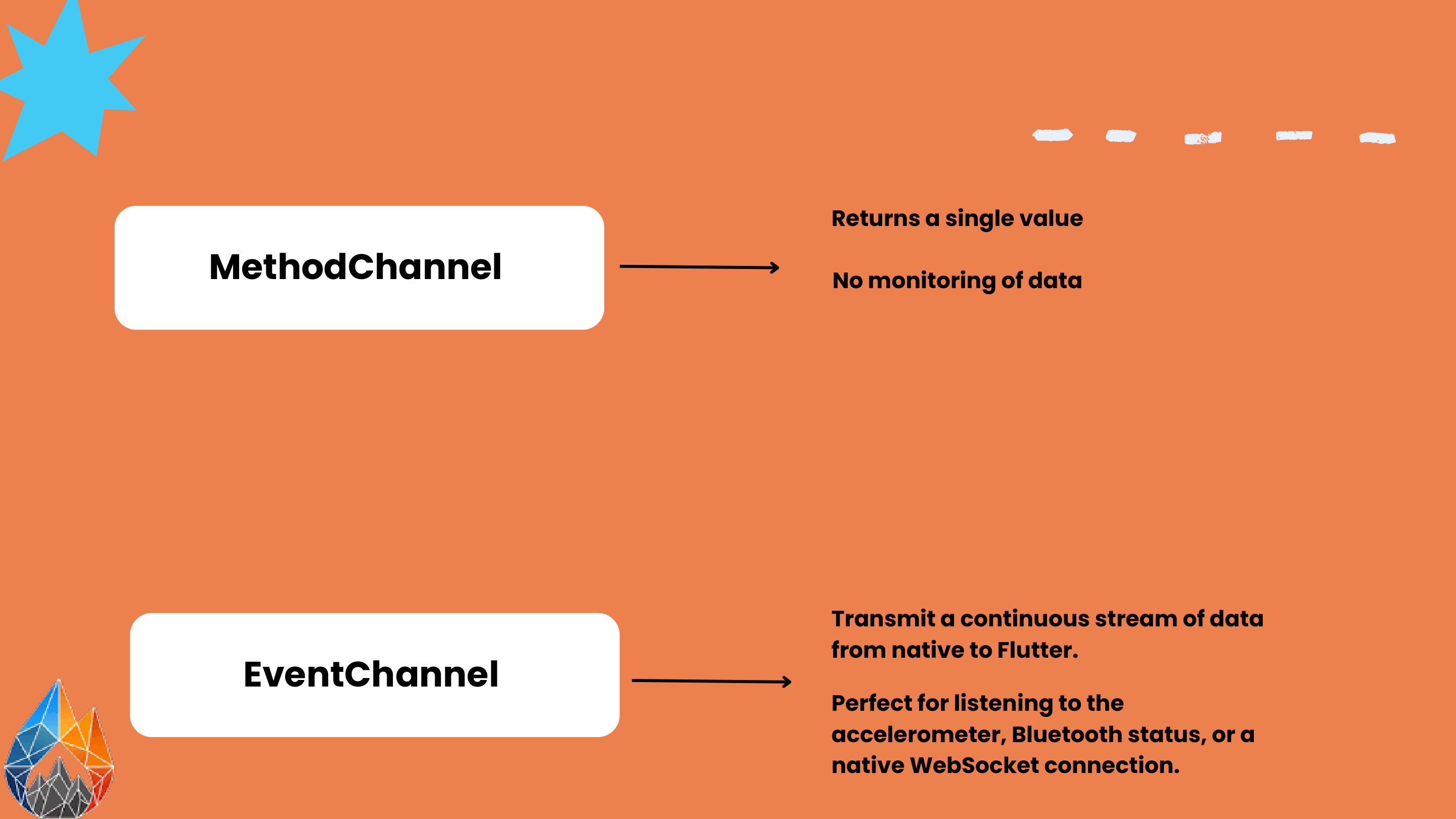
Flutter provides two primary channel flavors depending on your communication pattern:
1. MethodChannel (The Request-Response RPC)
Use MethodChannel when you want to execute a command and receive a single return value (one-shot invocation).
Dart Side:
import 'package:flutter/services.dart';class BatteryService { static const _channel = MethodChannel('com.nerala.app/battery');
FuturegetBatteryLevel() async { try { final int level = await _channel.invokeMethod('getBatteryLevel'); return level; } on PlatformException catch (e) { print("Failed to get battery level: ${e.message}"); return -1; } } }
Android Side (Kotlin):
import io.flutter.embedding.android.FlutterActivity import io.flutter.embedding.engine.FlutterEngine import io.flutter.plugin.common.MethodChannelclass MainActivity: FlutterActivity() { private val CHANNEL = "com.nerala.app/battery"
override fun configureFlutterEngine(flutterEngine: FlutterEngine) { super.configureFlutterEngine(flutterEngine) MethodChannel(flutterEngine.dartExecutor.binaryMessenger, CHANNEL).setMethodCallHandler { call, result -> if (call.method == "getBatteryLevel") { val batteryLevel = getSystemBatteryLevel() if (batteryLevel != -1) { result.success(batteryLevel) } else { result.error("UNAVAILABLE", "Battery level not available.", null) } } else { result.notImplemented() } } } }
2. EventChannel (The Continuous Reactive Stream)
Use EventChannel when the native side needs to transmit a continuous stream of events over time[3].
- Accelerometer & Gyroscope readings.
- Bluetooth device discovery & RSSI telemetry.
- Native WebSocket or push notification streams.
- GPS location coordinate updates.
// Dart listens to EventChannel as a standard Dart Stream
static const _sensorChannel = EventChannel('com.nerala.app/accelerometer');

Stream
The "Stringly-Typed" Trap & Enter Pigeon!
Traditional MethodChannel works great for small hobby apps. But in large enterprise codebases, it suffers from a massive architectural flaw: It is completely stringly-typed.
If you write invokeMethod('getBatteryLevel') in Dart, but your iOS teammate wrote if call.method == "getBatteryLevel" with a small typo like "getBateryLevel", the compiler will never warn you! The bug will only explode at runtime in your user's hands.
No need to write risky boilerplate yourself when you can give it to a Pigeon! 🕊️
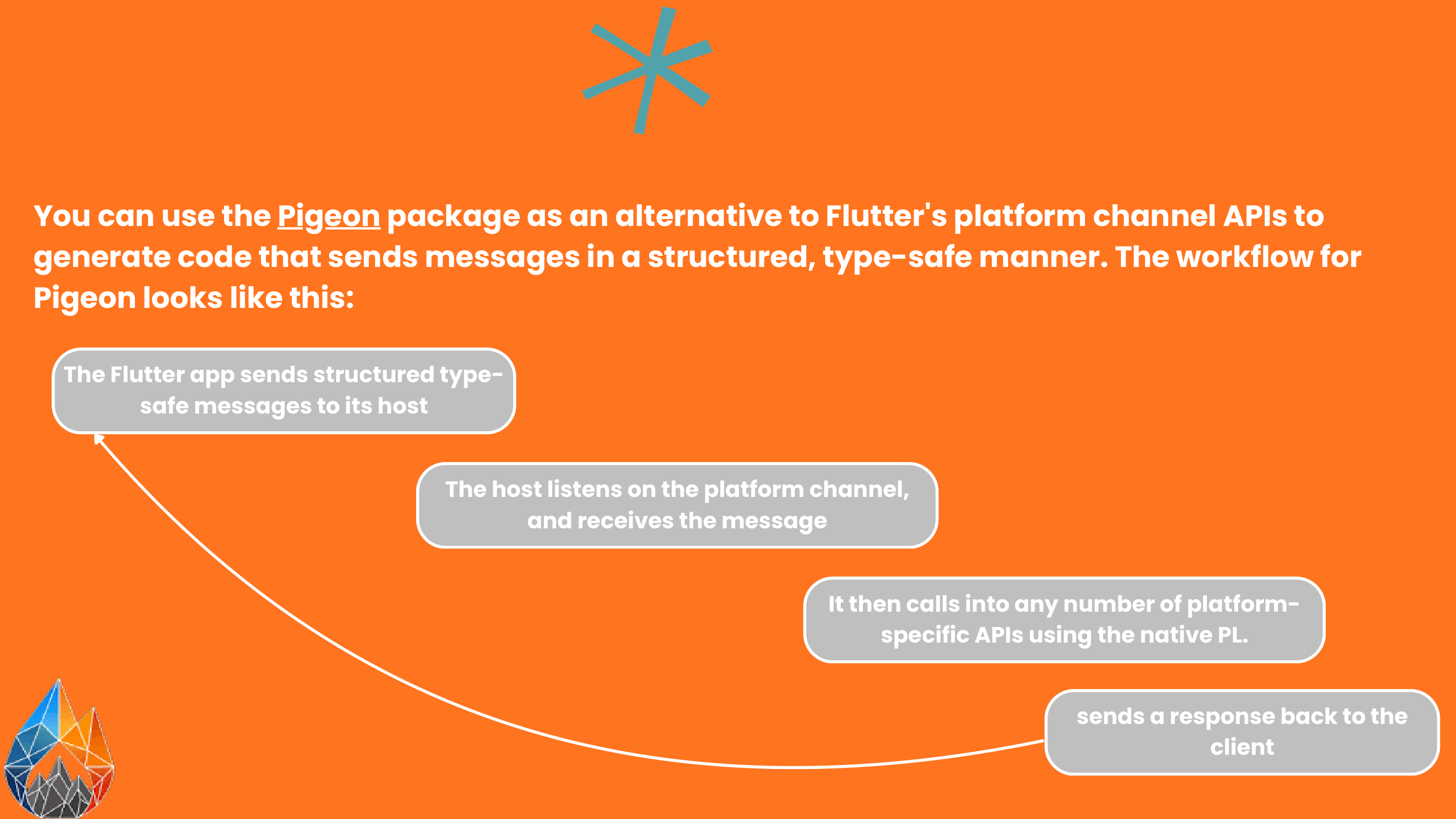
Pigeon is an official code-generation tool maintained by the Flutter team. Instead of passing loose strings and maps across channels, Pigeon lets you define a formal contract in Dart, and it automatically compiles type-safe interfaces for Dart, Kotlin, Java, Swift, and Objective-C[4].
How Pigeon Works in 3 Steps:
1. Define your interface contract (pigeons/messages.dart):
import 'package:pigeon/pigeon.dart';class PaymentRequest { late String transactionId; late double amount; late String currency; }
class PaymentResponse { late bool isSuccess; String? confirmationCode; String? errorMessage; }
@HostApi() abstract class PaymentHostApi { @async PaymentResponse processPayment(PaymentRequest request); }
2. Run the Pigeon code generator:
dart run pigeon \
  --input pigeons/messages.dart \
  --dart_out lib/src/generated/pigeon_messages.g.dart \
  --kotlin_out android/app/src/main/kotlin/com/nerala/app/PigeonMessages.g.kt \
  --swift_out ios/Runner/PigeonMessages.g.swift
3. Enjoy compile-time safety on both sides!
On Swift/Kotlin, the compiler forces you to implement the exact protocol methods with strongly-typed arguments. On Dart, calling PaymentHostApi().processPayment(request) returns a clean PaymentResponse object—zero casting, zero strings, zero runtime surprises.
💡 Pro Tip from FlutterFire Camp:
If your app features more than three native method calls, migrate to Pigeon immediately. It saves dozens of hours in cross-team debugging and eliminates 99% of channel-related crash logs in production.
Q2: What if I Want to Integrate Existing Kotlin / Swift Code?
A classic dilemma: Your company already spent three years developing a proprietary native banking security SDK in Kotlin, or a complex 3D engine in Swift. You don't want to rewrite it from scratch!
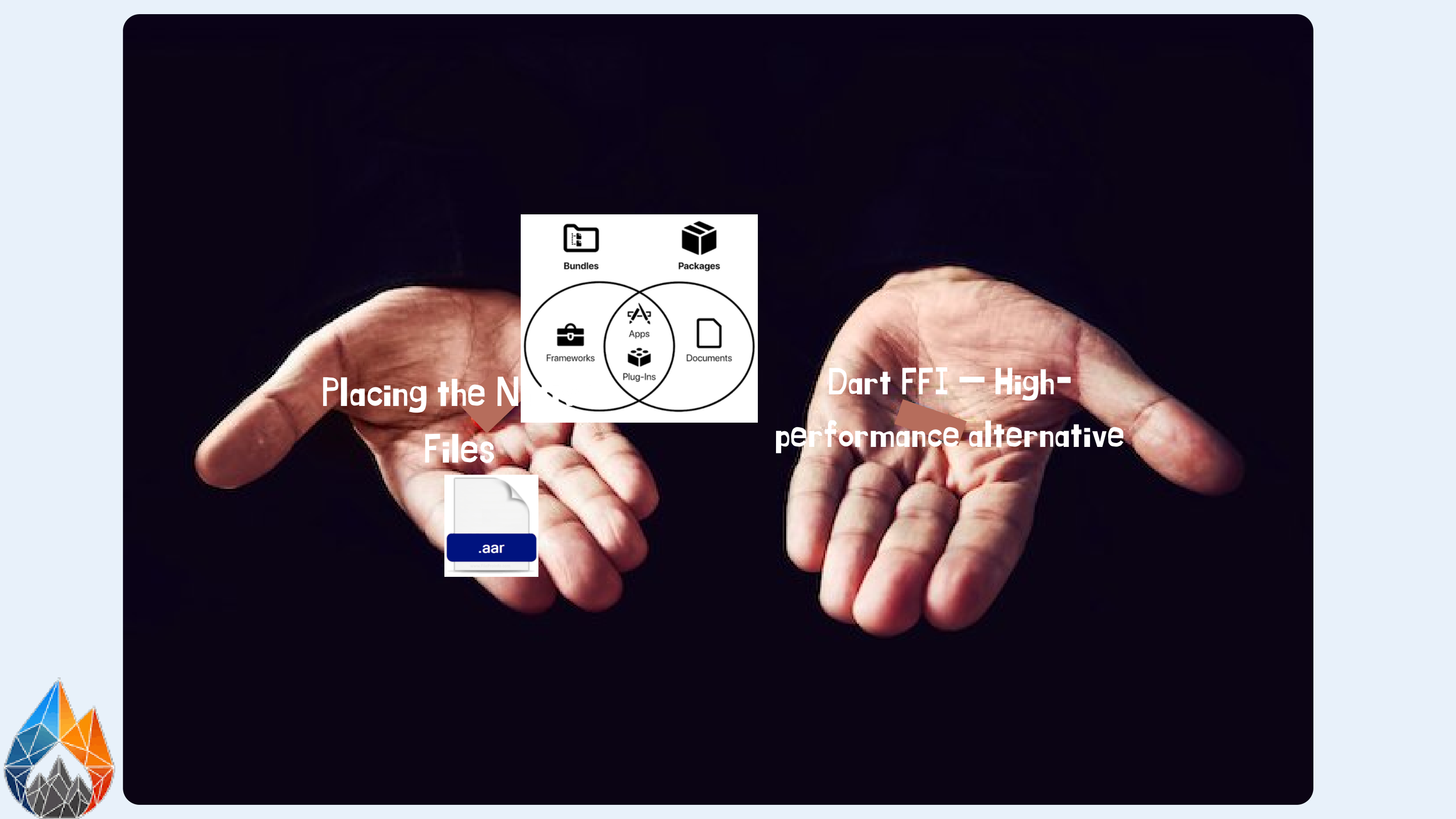
You face two distinct paths, like Morpheus offering the red and blue pill:
- Path A — Native Bundling + Platform Channel: You drop the compiled
.aarfile intoandroid/app/libs/or include the CocoaPod inios/Podfile, then write a lightweight Pigeon bridge to invoke its methods. - Path B — Dart FFI (Foreign Function Interface): If the native library is written in C, C++, or Rust, you bypass Platform Channels completely and call native memory directly!
The Secret Weapon: Dart FFI
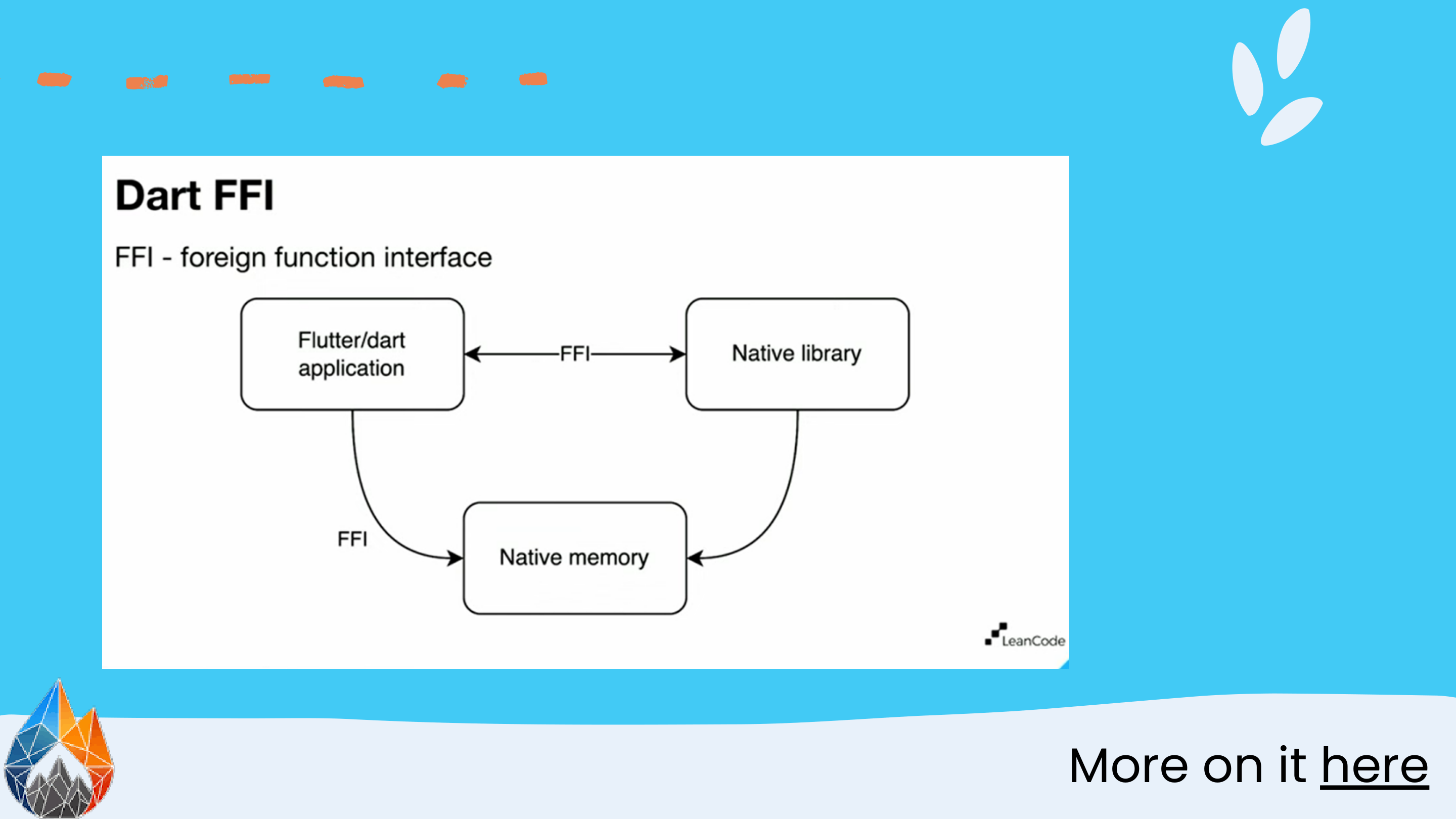
Why would anyone choose Dart FFI over Platform Channels?
Remember that Platform Channels serialize data and post messages across thread queues. That introduces a latency tax of roughly 0.1 to 1.0 milliseconds per message. If you are reading 60 frames per second from a camera feed, or calculating high-frequency Fourier transforms on audio samples, that serialization overhead will drop your frame rate off a cliff!
Dart FFI solves this by speaking C-ABI natively:
- Direct Memory Pointer Access: Dart can read and write to raw native heap memory (
Pointer<Uint8>) without copying buffers[5]. - Synchronous Execution: Unlike channels which always return a
Future, FFI calls can run synchronously when microsecond performance is non-negotiable. - Language Agnostic: Anything that compiles to a C dynamic library (C, C++, Rust, Zig, Go) can be called directly from Dart.
import 'dart:ffi' as ffi;
import 'dart:io';

typedef NativeSumFunc = ffi.Int32 Function(ffi.Int32 a, ffi.Int32 b);
typedef DartSumFunc = int Function(int a, int b);

// 1. Open the dynamic library (.so on Android, .dylib on iOS)
final dylib = Platform.isAndroid
    ? ffi.DynamicLibrary.open('libnative_math.so')
    : ffi.DynamicLibrary.process();

// 2. Lookup the C function pointer
final DartSumFunc fastSum = dylib
    .lookup
FlutterFire Summer Camp: Test Your Knowledge!
During the live camp session, we challenged participants with an interactive Kahoot quiz. Let's see how well you grasped the material with three core questions:
🎯 Question 1: When should you pick EventChannel over MethodChannel?
A) When you want to return a single boolean confirmation.
B) When you need a continuous stream of events, like accelerometer updates or live Bluetooth status.
C) When you want to execute C++ code synchronously.
👉 Reveal Answer
Correct Answer: B! EventChannel is tailored specifically for asynchronous event streaming via Dart's Stream interface.
🎯 Question 2: What primary problem does Google's Pigeon solve?
A) It automatically converts Flutter widgets into native Android Jetpack Compose views.
B) It replaces the Skia rendering engine with Impeller.
C) It eliminates stringly-typed method calls by generating compile-time type-safe channel code across Dart, Kotlin, and Swift.
👉 Reveal Answer
Correct Answer: C! Pigeon provides compile-time guarantees, preventing runtime string typos and messy type casting.
🎯 Question 3: Why would an engineer pick Dart FFI over a standard MethodChannel?
A) FFI requires zero serialization overhead, allows direct native memory access, and executes with sub-microsecond latency.
B) FFI only works on iOS, making it faster than Android.
C) FFI replaces Dart's garbage collector.
👉 Reveal Answer
Correct Answer: A! FFI speaks the C-ABI directly, avoiding binary serialization, thread hops, and queue latency.
Closing Thoughts: The Zen of Cross-Platform Engineering
Mastering Flutter does not mean ignoring the native platforms underneath it. In fact, true senior mobile engineering lies in knowing exactly where Flutter ends and where the native operating system begins.
Platform Channels give you the freedom to never be blocked by missing plugin packages. With tools like Pigeon keeping your contracts rock solid, and Dart FFI powering your performance bottlenecks, you truly have the best of both worlds: the speed of Flutter's UI engine combined with the raw power of the native platform.
Huge thanks to the organizers and students at the FlutterFire Summer Camp for having me! What native integration was the trickiest in your Flutter career? Let's discuss in the comments below! 🚀💙